
Cinematic Midjourney Prompts for Modern Commercial Product Photography
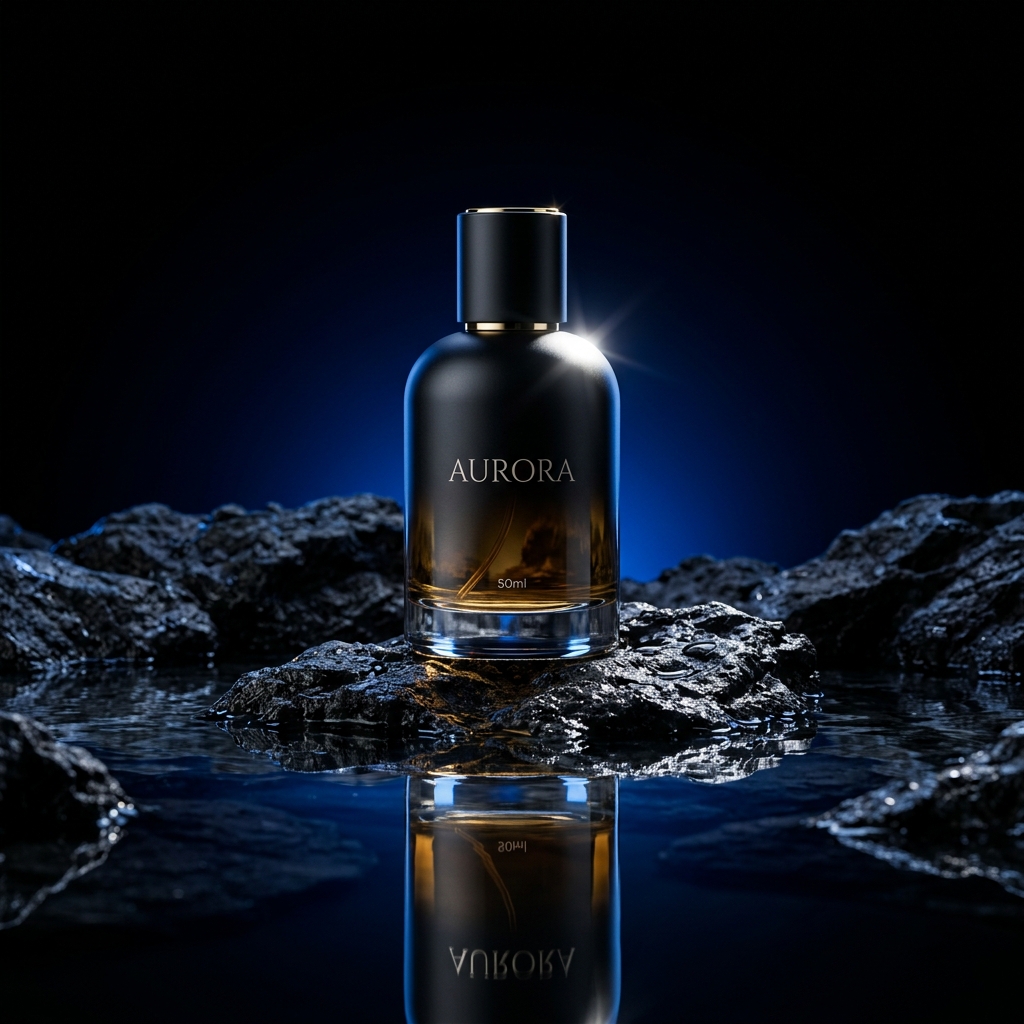
Stop paying thousands for studio time. Learn how to generate photorealistic, e-commerce-ready product photography with perfect studio lighting and commercial staging using Midjourney v6.
Why Studio Product Photography Still Costs a Fortune
A single editorial product photography session can set a small brand back $2,000–$8,000 — and that's before including retouching, licensing, and the photographer's travel. The cost barrier means only large brands can afford the cinematic, white-glove visual quality that drives premium perception.
Midjourney v6 has fundamentally changed this equation. With precise prompt engineering, you can generate commercially viable product photography that is indistinguishable from a real studio session — in under 60 seconds. But the word “precise” is doing a lot of heavy lifting in that sentence.
The difference between a mediocre Midjourney product image and a genuinely commercial one comes down to three technical levers: camera optics specification (lens type, focal length, f-stop), lighting construction (key light direction, fill ratio, rim separation), and surface interaction (reflections, refractions, material texture).
The 5-Layer Anatomy of a Commercial Product Prompt
Every successful product photography prompt has 5 layers. Miss any one and the output slides from “commercial” to “generic AI image”:
Product Description
Material, color, exact product name
Surface & Environment
What the product sits on / against
Lighting Construction
Key light direction, rim, fill ratio
Camera Optics
Camera body, lens, f-stop, focus depth
Style Parameters
--style raw, --ar, --v 6.0, quality
Prompt 1: Dark Luxury Fragrance (Dramatic Studio Shot)
The ultimate e-commerce hero shot for premium cosmetics. This uses a dramatic one-light setup — a signature style for high-end fragrance brands like Chanel and Dior.
"Commercial editorial product photography. Sleek matte black glass perfume bottle on coarse volcanic basalt rock, resting in a shallow pool of clear water. Single dramatic key light from top-right at 45 degrees, creating strong specular highlight on the glass. Subtle blue-tinted rim light from behind separating product from pure black background. Visible water ripple reflections. Shot on Hasselblad H6D-100c, 100mm macro lens, ultra-sharp f/2.8. Hyper-realistic glass material, visible internal fluid caustics. Luxury brand aesthetic. --style raw --v 6.0 --ar 4:5 --q 2"💡 Why Specify the Camera + Lens?
Midjourney has been trained on millions of photographs tagged with camera and lens metadata. Specifying “Hasselblad H6D-100c, 100mm macro” activates the model's understanding of the physical optics of that camera system: its specific color rendition, micro-contrast, and depth-of-field compression signature. It's the single fastest prompt addition to dramatically elevate output quality.
Prompt 2: Bright & Clean Tech Lifestyle (Premium Electronics)
The high-key, pastel lifestyle format used by Apple and Sony. Clean, optimistic, pure white — designed to live on product detail pages and social media ads simultaneously.
"High-end tech product photography. Minimalist pearl-white wireless headphones resting softly on an angled geometric matte clay pedestal. Bright high-key studio three-point lighting: main softbox from above-front, secondary fill diffuser from camera-left, soft hair light defining the top curve. Crisp product focus, clean white-to-warm-cream gradient backdrop. Tiny soft shadow grounding. Apple design language aesthetic. Pastel lifestyle feel. Shot on Sony ZV-E1, 85mm f/5.6. --ar 1:1 --v 6.0 --style raw"Prompt 3: Moody Artisan Food Photography
The dark, editorial style favored by craft coffee brands and artisan chocolate. Emulates the rich, textured look of photographers like Nikole Herriot.
"Dark moody artisan food photography. A 340ml amber glass jar of raw honeycomb against weathered dark slate background. Single overhead bare bulb key light casting sharp dramatic shadows, illuminating the translucent honey from within creating warm amber glow. Scattered dried wildflowers and a wooden honey dipper resting beside the product. Shallow depth of field blurring the background elements. Organic, earthy, handcrafted aesthetic. Film grain texture overlay. Shot on Fujifilm X-T5, 35mm f/2.0. --style raw --v 6.0 --ar 4:5"⛔ The --style raw Flag Is Non-Negotiable
Without --style raw, Midjourney applies its default artistic enhancement layer which adds a painterly quality that immediately reads as AI-generated in a commercial context. Always append --style raw to every product photography prompt where photographic realism is the goal.
⚠️ Adding Your Actual Product Label
Midjourney still struggles with exact typography on product packaging. The professional workflow: generate the product with a blank label (add “blank label, no text on packaging” to the prompt), then use Photoshop's Perspective Warp tool to precisely overlay your high-resolution label artwork onto the AI-generated image. Major DTC brands use this exact workflow for launch campaign visuals at a fraction of traditional studio cost.
Frequently Asked Questions
Q: Are AI product photographs legally usable for commercial purposes?
A: As of 2026, Midjourney v6 allows commercial use of generated images for subscribers on the Standard plan and above. The images are not eligible for trademark or copyright registration in most jurisdictions. Always verify current terms before using AI images in advertising campaigns, as platform policies continue to evolve rapidly.
Q: What aspect ratio should I use for different marketing channels?
A: Amazon and Shopify product main images: --ar 1:1. Instagram feed posts: --ar 1:1 or 4:5. Pinterest and editorial: --ar 2:3 or 4:5. YouTube thumbnails: --ar 16:9. Facebook carousel ads: --ar 1:1. LinkedIn sponsored content: --ar 1.91:1. Always generate at the target size or larger — never upscale AI images after generation.
Q: How do I get consistent product appearance across different backgrounds?
A: Use Midjourney's seed locking (--seed XXXXX). Generate your hero product shot first, note the seed from the Job ID page, then reference that seed in subsequent prompts with different backgrounds and lighting setups. This maintains product silhouette and color consistency across a cohesive product campaign.
Q: Can these prompts work in Adobe Firefly or DALL-E 3?
A: The structural formula (product, surface, lighting, camera, style) transfers across all models. However, camera-specific language like "Hasselblad H6D-100c" performs best in Midjourney which has the richest photograph metadata in its training. For Firefly, lean on lighting terminology. For DALL-E 3, describe the scene narratively — it responds to conversational style better than technical specifications.
Naveen Teja Palle
Cloud & DevOps Engineer specializing in AWS infrastructure, React frontend architecture, and AI workflow automation. I build tools and write tutorials to help developers scale their technical workflows.