
The Ultimate AI Art Lighting Prompts Gallery (Midjourney & Gemini)
Lighting dictates the emotion of any photograph, and AI generation is no different. Stop using generic prompts. Use these exact, copy-pasteable formulas to control the cinematic lighting, create professional headshots, and emulate iconic movie styles in Midjourney, Gemini, and DALL-E.
1. Core Cinematic Lighting Prompts
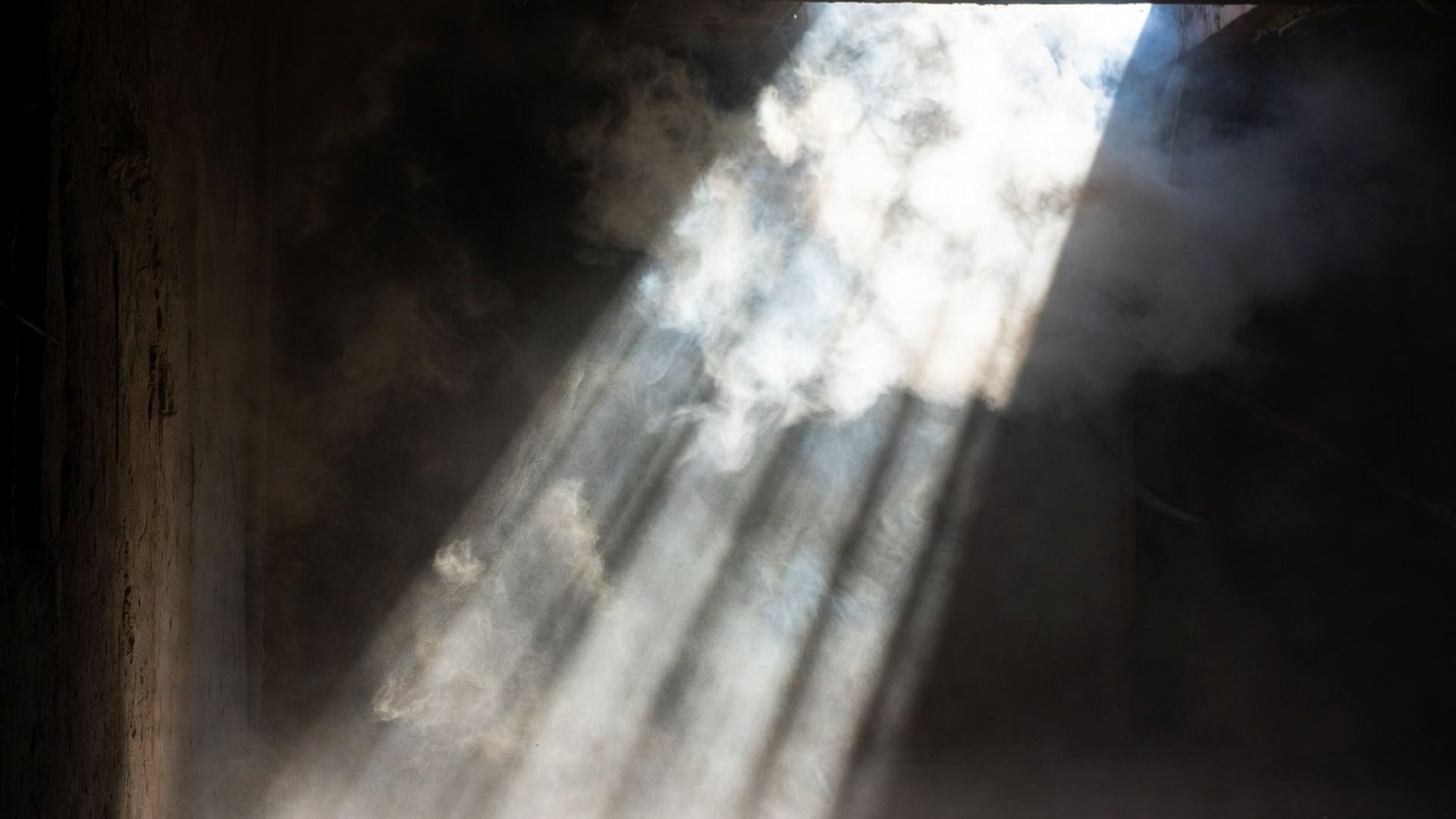
Volumetric "God Rays"
cinematic shot, striking volumetric lighting, thick dust particles in the air, god rays piercing through a dark room, dramatic shadows, 8k resolution, photorealistic --ar 16:9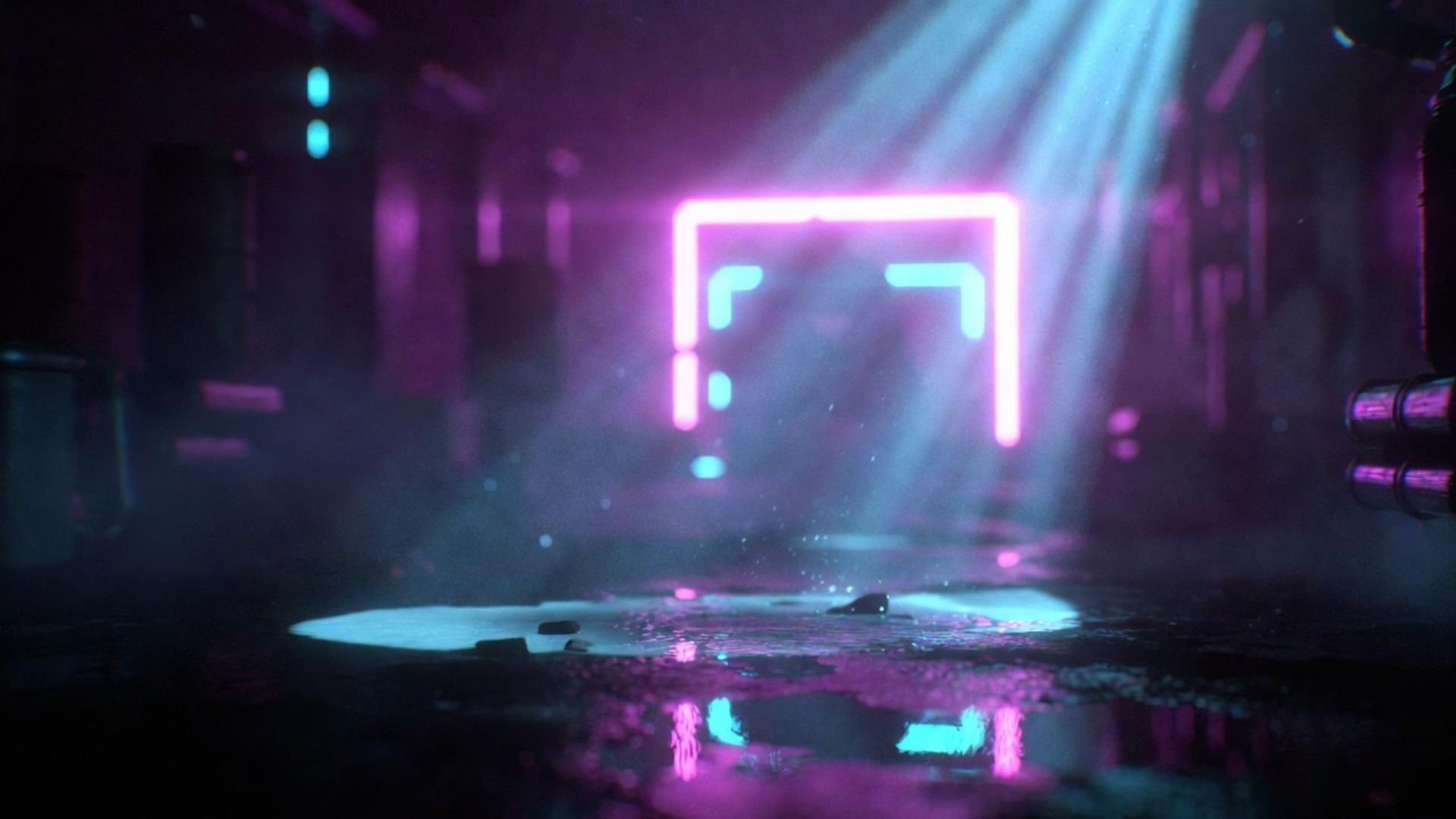
Neon Cyberpunk Rim Light
neon cyberpunk lighting, strong magenta and cyan rim lights illuminating the subject, dark moody alleyway background, reflections in puddles, unreal engine 5 render --v 6.02. Professional Headshot Formulas
Need a new LinkedIn photo without paying for a photographer? Use these studio lighting setups.
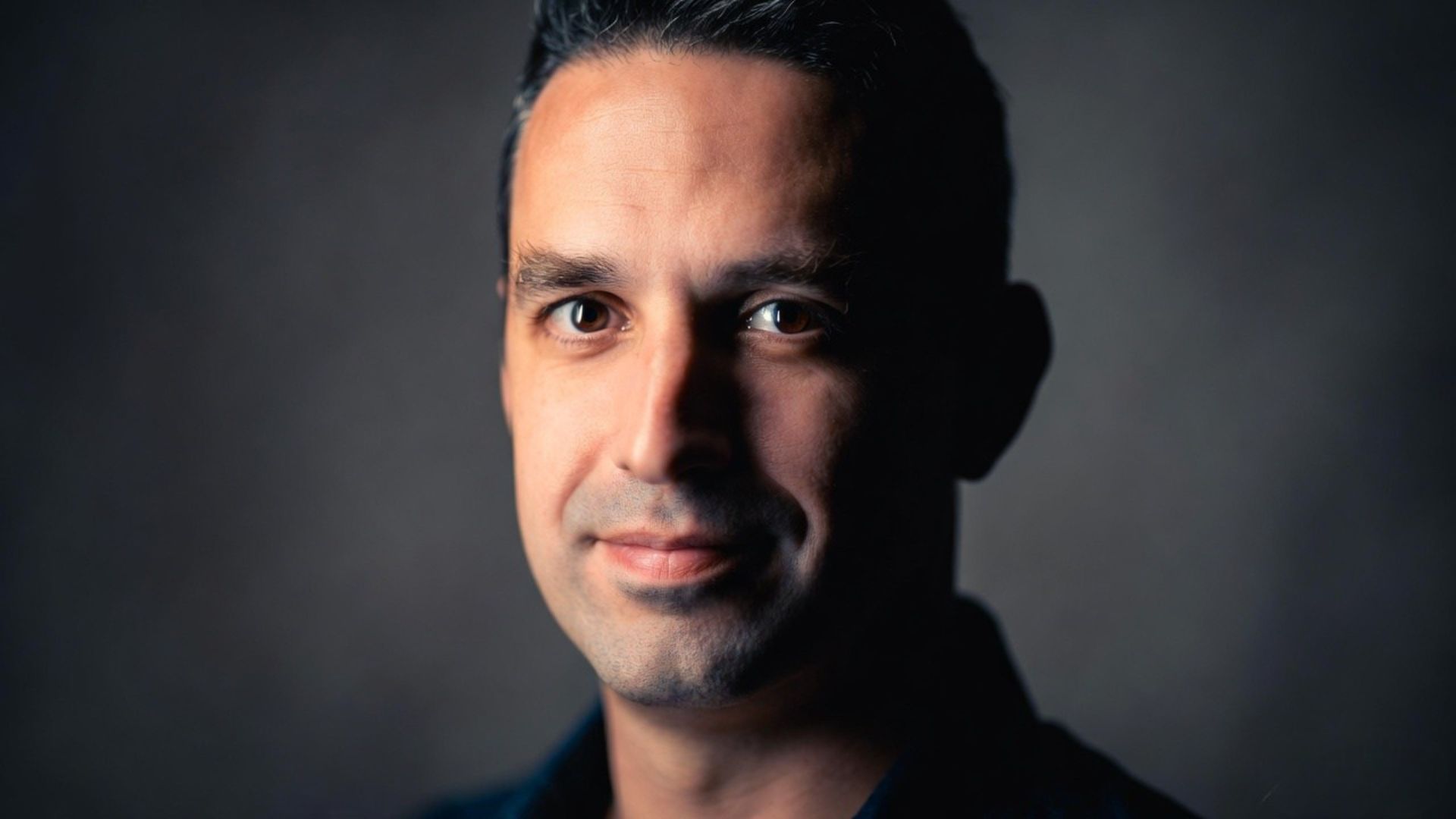
The Keynote Speaker
Creates an authoritative, high-contrast look perfect for speaker bios.
professional keynote speaker headshot, rembrandt lighting, sharp key light from a 45-degree angle, subtle fill light, dark slate gray backdrop, shot on 85mm lens at f/1.8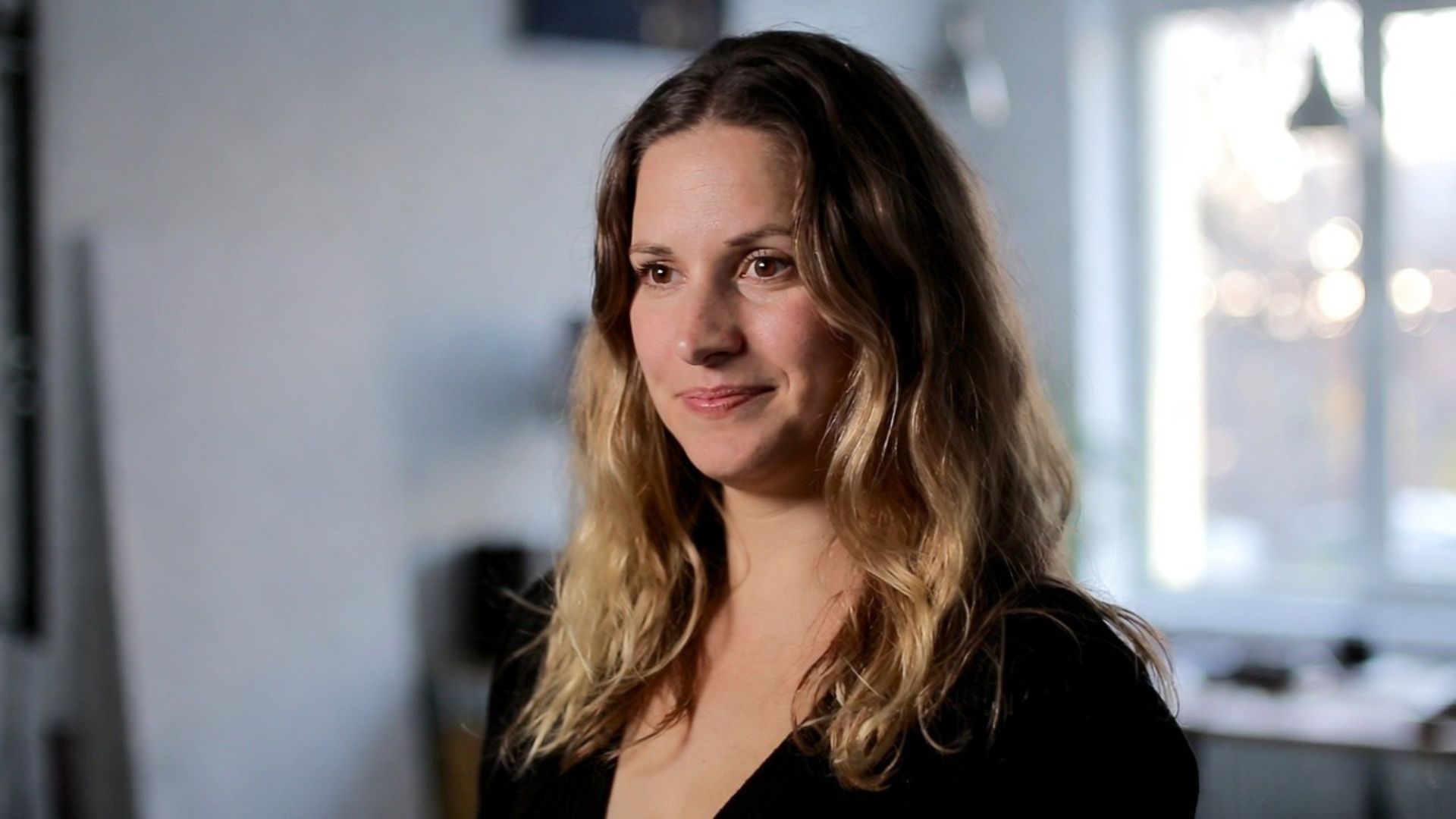
The Creative Director
Softer, more approachable lighting with an environmental blur.
casual creative director headshot, soft natural window lighting, diffused sunlight, shallow depth of field, blurred modern design studio in the background, candid aesthetic3. Iconic Movie Styles

The "Fight Club" Grimy Aesthetic
Emulates the iconic, sickly-green color grading and high-contrast shadows used by director David Fincher.
underground fight club scene, grimy green fluorescent overhead lighting, deep crushed black shadows, high contrast, cinematic color grading, David Fincher style, gritty film grain texture --ar 21:94. The Photography Science Behind AI Lighting Prompts
Every professional photographer understands light has four fundamental properties. Understanding how to specify these in AI prompts dramatically improves your results and reduces guesswork.
Direction
key light from 45-degree angleoverhead rim lighting from abovebacklit silhouettethree-point studio lightingmotivated screen glow
Quality
harsh direct sunlightsoft diffused window lightbounced fill lightwrap-around softboxspecular highlight on subject
Color Temperature
warm golden hour 3200Kcool blue moonlight 8000Kneutral daylight 5600Kmixed warm/cool contrastneon RGB colored lighting
Mood Modifiers
dramatic shadows, exposed highlightshigh key bright minimal shadowslow key deep shadow heavychiaroscuro extreme contrastflat even commercial lighting
5. Six More Advanced Formulas
The Golden Hour Portrait
Warm, magical light that makes any subject look their best.
golden hour portrait, warm amber backlight creating a glowing halo around the subject's hair, soft orange fill light on face, shallow depth of field, blurred bokeh background, f/1.4 lens, emotional nostalgic mood --ar 4:5Split Lighting (Dramatic Portrait)
The face is divided exactly in half — one side light, one side shadow.
dramatic split lighting portrait, exactly half face illuminated by strong single key light, other half in deep shadow, black seamless background, high contrast monochrome, fine art photography, sharp detail --ar 1:1Natural Window Light — Editorial
Clean, editorial look from window light used by magazines and LinkedIn.
editorial portrait, soft natural window light from camera left, subtle fill reflector on right, overcast light quality, clean white wall background, soft shadows, professional brand headshot --ar 4:5Horror Atmospheric Underlighting
Chilling upward light and mist for horror imagery.
horror scene atmospheric lighting, green and blue underlighting casting upward shadows on face, thick fog mist, abandoned building interior, horror film cinematography, photorealistic --ar 16:9Product Ecommerce Studio
Clean, commercial, neutral lighting for product photography.
commercial product photography, pure white seamless background, three-point studio lighting two softboxes top rim light, no harsh shadows, label fully visible, ecommerce ready, 24-70mm lens style --ar 1:1Sci-Fi Holographic Interface Glow
Blue holographic ambient light from a futuristic screen.
close-up face lit by holographic blue data interface glow, multiple reflections in eyes, dark background, teal and blue ambient light only, cyberpunk scientist aesthetic, ultra high detail 8k --ar 3:2Frequently Asked Questions
Q: Do these lighting prompts work with Stable Diffusion / SDXL?
A: Yes, with some adaptation. Stable Diffusion models respond well to the same lighting terminology (Rembrandt lighting, split lighting, volumetric rays). For SDXL specifically, running the base through the refiner model significantly improves lighting consistency for photography prompts.
Q: What Midjourney version should I use for lighting prompts?
A: Midjourney v6 (--v 6) is the current standard for realistic lighting. For maximum photorealism, combine --v 6 with --style raw (disables artistic interpretation) and --q 2 (quality mode). For artistic lighting effects, the default --v 6 style often produces more interesting creative results.
Q: Why does my headshot prompt keep producing people that look fake?
A: AI headshots look artificial when the lighting prompt does not specify skin texture and lens simulation. Add these to any headshot prompt: "skin pores visible, natural skin texture, slight micro-blemishes, shot on Sony A7IV, 85mm f/1.8 portrait lens, natural film grain". Camera and lens specifics trigger the model's photographic constraints.
Q: Can I generate consistent characters with different lighting?
A: Consistency requires either Midjourney's --cref (character reference) feature (v6+), or a fine-tuned Stable Diffusion model with a character LoRA. Seed locking (--seed in Midjourney) also helps maintain facial consistency across lighting variations.
Naveen Teja Palle
Cloud & DevOps Engineer specializing in AWS infrastructure, React frontend architecture, and AI workflow automation. I build tools and write tutorials to help developers scale their technical workflows.
Build Your Own Custom Prompts
Want to mix and match these lighting styles with specific subjects? Use our free Prompt Builder to engineer the perfect image generation formula.
Open Prompt Builder